Browse web pages directly within your email client, saving time switching between separate applications
Browse web pages directly within your email client, saving time switching between separate applications
Vote (1 votes)
Program license Free
Developer Thunderbrowse
Version 3.2.1.2
Works under Windows
Vote
(1 votes)
Developer
Thunderbrowse
Works under
Windows
Program license
Free
Version
3.2.1.2
Pros
- Integrated web browsing in Thunderbird
- Easy access to links directly from emails
- Customizable hotkeys for efficient navigation
- Minimal impact on Thunderbird interface
Cons
- Limited display area can make sites hard to read
- Not suitable for complex or interactive websites
- Compatibility issues with newer Thunderbird updates
Browse web pages directly in Thunderbird’s message view with this extension.
Overview
ThunderBrowse is an extension designed for Mozilla Thunderbird, enabling users to view web pages within their email client. This plugin streamlines web browsing by allowing quick access to web content directly from messages, minimizing the need to switch between applications.
Features
The primary function of ThunderBrowse is to equip Thunderbird with in-app web browsing capabilities. It adds a compact URL bar inside the message panel, letting users enter web addresses or click on links within emails to load their target sites instantly. This compact approach helps maintain an uncluttered interface while adding useful functionality for those frequently receiving links.
ThunderBrowse also supports a set of keyboard shortcuts known as "Hotkeys." These can be customized through the "about:commands" address, providing advanced users with greater control over navigation and workflow. Users can right-click links to open them in either ThunderBrowse or their external default browser, ensuring flexibility based on personal preference.
Usability and Performance
ThunderBrowse is straightforward to install and does not demand additional menus or new toolbar buttons. The browsing feature integrates naturally in the message reading area, so the extension does not obstruct or overwhelm the Thunderbird interface.
However, browsing within the Thunderbird message pane comes with limitations. The display area is smaller compared to a full browser, which can make web pages appear cramped or difficult to read. To address this, ThunderBrowse includes a "full screen" mode for a larger browsing area, although this may still be restrictive on complex websites or those not optimized for small windows.
Page rendering is generally smooth for simple web content, but multimedia-heavy or script-intensive pages can display imperfectly. Since the extension is not a substitute for a full-featured browser, users seeking comprehensive web compatibility may find it lacking. Nevertheless, for checking reference sites, opening news links, or previewing content quickly, ThunderBrowse offers a noticeable time-saving advantage.
Customization and Control
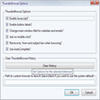
ThunderBrowse stands out for its configurability. In addition to custom hotkeys, users can tweak browsing behavior and security settings within Thunderbird's options. These controls help balance productivity and privacy, letting users restrict scripts or manage cookies if needed.
Compatibility
While ThunderBrowse is a lightweight addition, it is designed for classic Thunderbird and may not be supported in newer iterations or forked email clients. Users should check for compatibility with their specific Thunderbird version before installation.
Pros
- Integrated web browsing in Thunderbird
- Easy access to links directly from emails
- Customizable hotkeys for efficient navigation
- Minimal impact on Thunderbird interface
Cons
- Limited display area can make sites hard to read
- Not suitable for complex or interactive websites
- Compatibility issues with newer Thunderbird updates